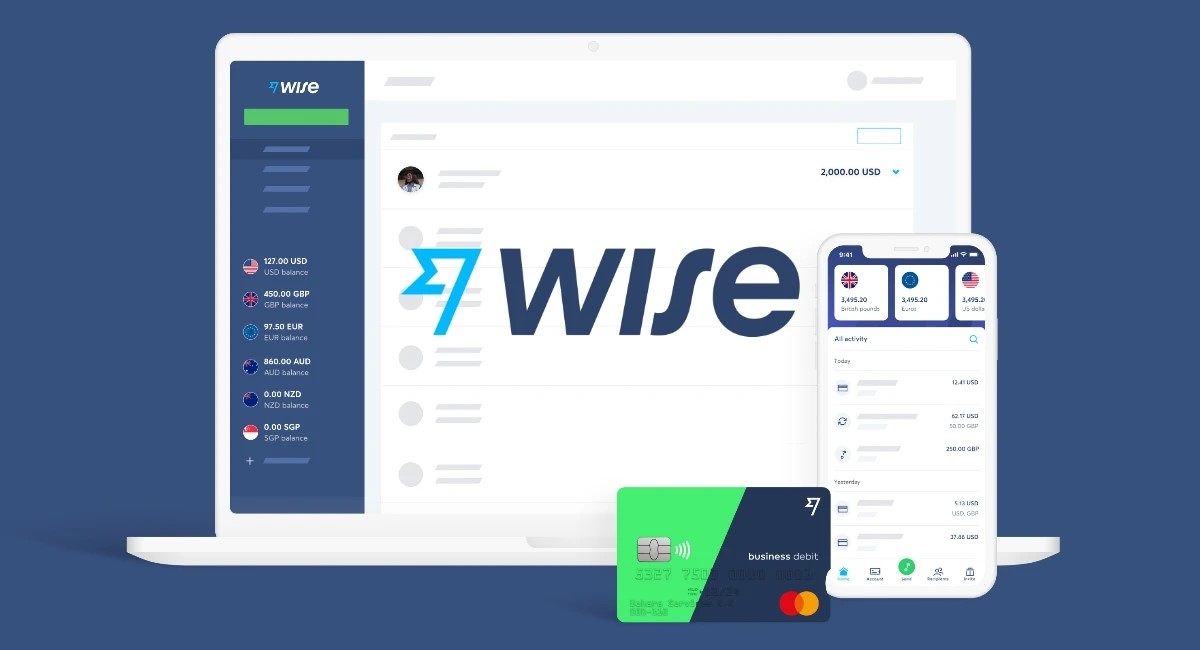
Wise Business Account
This article covers:
- Getting Started: What is Wise?
- What is a Wise Business Account?
- Wise Business Account Review: The Features
- Wise Business Account Review: Pros and Cons
- Opening a Wise Business Account: Step-by-step Process
- Who’s Eligible to Register Wise Business Account?
- Wise Business Fees
- Wise Business Alternatives
- Instarem Business Pros and Cons
- Revolut Business Pros and Cons
- AspireApp Pros and Cons
- Payoneer Pros and Cons
- PayPal Pros and Cons
- Key Takeaway: Great Features and Affordable Rates, Wise Business Has it All
- FAQs
As businesses adapt to globalisation, suppliers and customers are no longer limited to domestic markets. Sourcing from overseas vendors or serving international buyers has become the norm.
Having a solution that facilitates the whole process of sending or receiving global payments would be beneficial. There are many options for such solutions nowadays, and a Wise Business account stands out as one of the viable choices.
But is it truly worth trying? We’ll discuss more in this Wise Business account review, giving you a peek into its features, fees, and more.
Getting Started: What is Wise?
Before getting to know what a Wise Business account is, let’s get yourself familiarised with Wise first. Wise is a global payment solution that allows sending, receiving, and holding money in multiple currencies.
There are over 50+ currencies available in Wise for sending and holding money. Whereas for receiving money, it allows you to receive it in 9+ currencies with account details.
Understanding that financial needs are diverse, Wise accommodates its users with personal and business accounts, each tailored to meet specific requirements.
What is a Wise Business Account?
Wise Business account is an additional feature offered by Wise. It provides multi-currency payments for enterprises to send and hold money to 160+ countries in 50+ currencies and receive payments in 9+ currencies with account details.
As explained in this Wise review, a Wise Business account has similar capabilities to a personal account. It also offers affordable global transactions with low fees, mid-market rates, and no hidden fees on exchange rate markups.
That’s why a Wise Business account is as popular as its widely-used personal account. With Wise Business, enterprises can make more efficient and informed international transactions while cutting on the high conventional bank fees.
Wise Business Account Review: The Features
A Wise Business account has several similar features to the personal account type. These include international money transfers, multicurrency accounts, debit cards, and more as listed in this Wise review.
However, there are more of its features that are designed to ease business owners in streamlining their transactions, including:
1. Batch Payments
Are you running a business that needs to send frequent payments either to your employees, freelancers, or vendors? Wise has a batch payments tool to send multiple payments in one go.
By simply uploading a batch payment file, you can pay up to 1000 invoices in multiple currencies in a single click. Whether it’s to pay your employee’s salaries, freelancers’ services, or vendor disbursements, this tool helps to streamline the whole process, saving you time and effort.
2. Accounting Integrations
Accounting is key to maintaining financial transparency and accuracy in your business operations. That’s where Wise Business comes in with seamless accounting integration.
With Wise Business, you can connect to accounting software like QuickBooks, Xero, and Oracle NetSuite. All the transactions you’ve made will be automatically recorded, allowing you to break free from manual data entry and ensure your bookkeeping is up-to-date.
This makes striving for growth and profitability more feasible, as you can easily track your payments, manage spending, and perform other accounting-related tasks with less human error.
3. Team Access
Having several team members managing your business needs? Let them have access to your Wise Business account with the team access feature.
With the team access feature, you can decide who can see and manage specific functionalities in your Wise Business account. You may also control the permission levels for each team member, ensuring secure and tailored access to sensitive information and tasks.
This way, the designated team members can immediately access your Wise Business account. They no longer need to rely on a single person to make the necessary transactions, resulting in smoother operations.
4. Wise Business Debit Card
Looking for an effective way to separate your personal and business funds? The Wise Business debit card is your go-to solution.
With the Wise Business debit card, you can spend business funds more conveniently. You may also use digital cards to make safer online transactions, as you can remove the details after completing your purchases.
What differentiates the Wise Business debit card from a personal card is the ability to share with team members. You can assign a dedicated debit card with pre-set limits to each of your team members while tracking the spending on each card, ensuring transparency and accountability.
5. Account Details
Are you selling online on e-commerce with overseas customers? Now you can get paid more easily with Wise Business’ account details.
With its account details, you can receive payments in 9+ currencies from around the world. Simply obtain your details and share them with your buyers, clients, or partners to receive the funds directly into your Wise Business account.
As long as you use EFT or ACH payments, there will be no fees* for receiving money with account details. Receiving USD wire or Swift payments, however, is subject to corresponding fees.
*Applies for AUD, CAD, EUR, GBP, HUF, NZD, RON, SGD, TRY and USD (non-wire).
6. Wise Interest
Turn your savings into extra returns with Wise Interest. Partnering with BlackRock, Wise Interest aims to maximise your capital through a portfolio of quality short-term money market instruments.
This feature is currently available in 3 major currencies, USD, EUR, and GBP. There’s an extra 0.27 – 0.56% of an annual fee to invest in Wise Interest.
Wise Business Account Review: Pros and Cons
Though Wise Business provides several features that help you streamline your business’s payments, spending, and other financial activities, it does have limitations. We’ll go over its pros and cons, giving you an idea of whether the benefits still outweigh its drawbacks.
Wise Business Account Pros
- Business-friendly features: Wise Business stands out due to its batch payments, accounting integration, team access, and more.
- Affordable fees: Enjoy low-cost transfer fees and mid-market exchange rates.
- Reliable speed: 80% of payments made through Wise Business are delivered within 24 hours, with 40% settled instantly.
- Transparency: You’ll be notified of the cost incurred before making any payment, and once paid, you can view the delivery estimate and payment tracking.
Wise Business Account Cons
- Limited currency options for receiving payments: Wise Business currently only supports major 9+ currencies for receiving payments using account details.
- No cash deposits: Transactions can only be made online or through the mobile app.
- No branch network: Wise doesn’t have physical offices to visit. Services can only be accessed online, in-app, or via phone calls.
Opening a Wise Business Account: Step-by-step Process
Opening a Wise Business account is simple. As long as you have a registered business, you can register and transact in multiple currencies using Wise Business.
Here’s how to do it:
- Click on ‘Open a Business Account’.
- Fill in your email address and country of registration.
- Enter your business details, including country, registered business name, trading business name, company type, and registration number.
- Confirm your business’ registered address.
- Verify your business by filling in the business category, subcategory, social links, and the size of your business.
- Confirm your trading address.
- Choose your plan type: All banking features or Essential features.
- (Optional) Top up some funds to your business account.
Who’s Eligible to Register Wise Business Account?
Almost all kinds of businesses are eligible to register Wise Business accounts to simplify their transactions and save on high fees and unfriendly exchange rates.
Eligible Businesses
Wise Business account works for businesses of almost all sizes and types. These include limited and public companies, sole proprietorships, freelancers, and partnerships. It’s also available for charities and trusts in the EEA, US, UK, Canada, Switzerland, Australia, and New Zealand.
Wise, on the other hand, doesn’t work for:
- Charities and trusts outside of the listed countries.
- Unregistered charities.
- Businesses involved in cryptocurrency, tobacco, adult content, or other prohibited activities.
- Brazilian businesses who want to make transfers in BRL.
- Superannuation Funds or Self Managed Superannuation Funds (SMSF) in Australia.
- Businesses that provide services or goods related to Cuba and US relations.
- Businesses with bearer shares, regardless of where they’re incorporated.
Eligible Countries
Wise Business account is eligible in most countries, without specific details on eligible countries found on their website.
However, restrictions apply, where one can’t register or access a Wise account in the following countries:
- Afghanistan
- Belarus
- Burundi
- Central African Republic
- Chad
- Congo
- Democratic Republic of the Congo
- Cuba
- Region of Crimea
- Eritrea
- Iran
- Iraq
- North Korea
- Libya
- Myanmar
- Somalia
- Republic of South Sudan
- Russia
- Sudan
- Syria
- Yemen
- Venezuela
- Ukraine regions: Donetsk, Luhansk, Kherson, Zaporizhzhia
Wise Business Fees
Using a Wise Business account allows you to enjoy low fees and transparency on incurred costs. Let’s take a look at its pricing structure below:
Setup Fee
To start using a Wise Business account, you must pay a one-time setup fee of 54 SGD (or equivalent). There are no monthly or subscription fees.
Debit Card Fee
Obtaining a Wise debit card will cost 4 SGD (or equivalent). If you wish to order more cards, whether for your team members or other purposes, there’s an additional charge of 4 SGD (or equivalent) per card.
ATM Withdrawal Fees
Withdrawing money is free for up to 350 SGD (or equivalent) per month. If you exceed the limit, there will be an extra 1.75% + 1.50 SGD (or equivalent) per withdrawal.
Fees for Converting Money
The fees vary depending on the currency, starting from 0.43% of the total value.
Wise Business Alternatives
Though Wise Business is efficient for making or receiving payments and holding business funds, it comes with its drawbacks. This means it’s not suitable for everyone.